
What's an ESIID and Why Does Every Light Company Ask for It?
Every Texas address has a unique meter ID number. Here's what it is, how to find yours, and why knowing it makes getting your lights turned on faster.
Last updated:
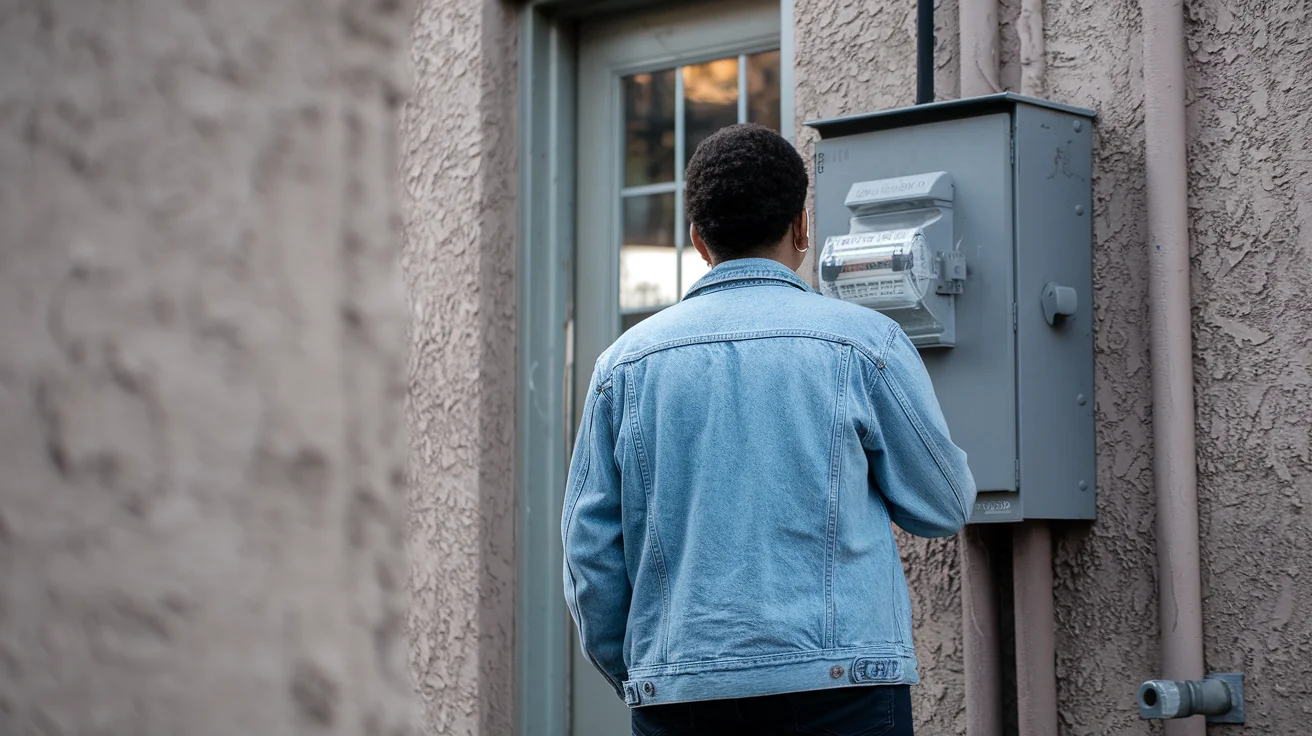
An ESIID (Electric Service Identifier) is the unique 17-22 digit number assigned to your Texas meter — and knowing it can speed up getting your lights turned on, especially in apartments with multiple units. You’re trying to sign up for lights and the website asks for your “ESIID.” Or the customer service agent says they need your “ESI ID number.” You’ve never heard of this in your life.
Here’s what it is, why they need it, and how to find yours in about 2 minutes.
What It Actually Is
ESIID stands for Electric Service Identifier. It’s a unique number assigned to your specific meter — the physical box on the side of your building that measures how much power you use. Think of it like a Social Security number for your meter. Every meter in Texas has one, and no two are alike.
The number is usually 17-22 digits long and looks something like this: 1008901023812345678.
It’s not your account number. It’s not your address. It’s the ID for the meter itself. That meter keeps the same ESIID regardless of who lives there or which light company you use.
Why Light Companies Need It
When you sign up for service, the light company needs to tell the transmission company (the one that owns the physical wires and meters) exactly which meter to connect. Your address alone isn’t always enough because:
- Apartment complexes have multiple meters at the same address. Unit 204 and Unit 206 might both be at “123 Main Street” but they have different meters.
- Some addresses have multiple meters. A house with a detached garage or a commercial property might have 2-3 meters, each with its own ESIID.
- Addresses sometimes don’t match exactly. The address your landlord gave you might be slightly different from what’s in the power grid’s database. The ESIID eliminates any confusion.
If you can give the light company your ESIID upfront, your setup goes faster. No back-and-forth about which unit you’re in. No delays because the address didn’t match.
How to Find Your ESIID
Here are the ways to get it, from easiest to hardest:
1. Check a Previous Light Bill
If you (or a previous tenant) has an old bill for the address, the ESIID is usually printed on it. Look for “ESIID,” “ESI ID,” “Service ID,” or “Meter Number” on the bill. It’s the long number, not the short account number.
2. Ask Your Landlord or Apartment Office
Your landlord or property manager usually has the ESIID for every unit. This is especially useful for apartments where there are many meters and the address alone isn’t enough. Just call and say “I need my meter ID number to set up my lights.”
3. Look at Your Meter
Walk to the meter on the side of your building. There’s usually a metal plate or sticker with numbers on it. The ESIID might be printed there, though it’s sometimes labeled as “Meter No.” or just a long string of numbers.
For apartments, the meters are usually in a bank of meters in a utility closet or on an exterior wall. Your unit number may or may not be labeled on the correct meter. If you’re not sure which meter is yours, ask maintenance.
4. Look It Up Online
The Texas Smart Meter portal lets you search for ESIIDs by address. Go to smartmetertexas.com and use their address lookup tool. You’ll need the exact service address as it appears in the power grid’s system.
5. Call the Transmission Company
The transmission company for your area can look it up for you:
- CenterPoint Energy (Houston area): 713-207-2222
- Oncor (Dallas/Fort Worth): 888-313-4747
- AEP Texas (South/West Texas): 877-373-4858
- TNMP (scattered areas): 888-866-7456
Tell them your service address and they’ll give you the ESIID. This call usually takes under 5 minutes.
6. Ask the Light Company You’re Signing Up With
If you can’t find it anywhere else, just tell the company your address and apartment number. They can look up the ESIID themselves. It’s their job. It might take a few extra minutes on the call, but they have access to the same database.
Most online signup forms will also do an address lookup for you. Enter your address and if there are multiple meters, they’ll show you a list to pick from.
What If There Are Multiple ESIIDs at My Address?
This is common in apartments and duplexes. When you search by address, you might see 2, 4, or even 20 ESIIDs listed. Here’s how to figure out which one is yours:
- Check your unit number against the list. Sometimes the ESIID records include apartment or unit numbers.
- Ask your landlord. They should know which ESIID goes with which unit.
- Look at the meter itself. If the meters are labeled with unit numbers, match the number on “your” meter to the ESIID.
- If you pick the wrong one, it’s fixable. The light company will notice if the usage pattern doesn’t match (like if the meter shows usage but you haven’t moved in yet). They’ll contact you to sort it out. It’s not a permanent mistake.
Common ESIID Problems and Fixes
”No ESIID found for this address”
This usually means the address you entered doesn’t exactly match what’s in the system. Try variations:
- “Street” vs “St” vs “St.”
- “Apartment” vs “Apt” vs ”#”
- Adding or removing the unit/apartment number
- Using the physical building address instead of a mailing address
”This ESIID already has active service”
Someone else has lights at that meter right now. This could be a previous tenant who didn’t cancel, or your landlord who keeps service between tenants. Contact your landlord to get the old service cancelled so you can start yours.
”This ESIID has a switch hold”
A switch hold means a previous account at that meter has an unpaid balance. Note: the hold is on the person, not the meter. If YOU don’t owe money to a Texas light company, the hold shouldn’t block your setup. If the company says there’s a hold, clarify whether it’s on your name or the previous tenant’s name. Read our switch hold guide for more details.
Do You Need Your ESIID to Sign Up?
Technically, no. Every light company can look it up by your address. Having it just speeds things up and avoids mistakes, especially in apartments with multiple units.
If you’re in a hurry to get your lights on and you don’t have the ESIID, don’t let that stop you. Sign up with your address and let the company find it. You can always provide it later if there’s a question about which meter is yours.
Bottom Line
The ESIID is just your meter’s ID number. Every meter has one. You can find yours from an old bill, your landlord, the meter itself, or by calling the transmission company. Having it makes setup faster, but you don’t need it to start — the light company can look it up.
If you’re ready to get your lights on, enter your ZIP and pick a plan. You can figure out the ESIID along the way.
Get Your Lights On
We check multiple light companies to find you the best option. Many people qualify for traditional plans with $0 deposit. You always have prepaid as a guaranteed fallback.
This guide is for informational purposes only and does not constitute legal or financial advice. For official rules, visit the Public Utility Commission of Texas. NoDepositLights.com is powered by Compare Power (PUCT License BR190020).

Consumer Advocate
I cut through the BS. Light companies hide their real rates in the fine print. I show you what you'll actually pay.
View full profileReady to find no-deposit lights?
Enter your ZIP code and we'll show you plans available in your area. No judgment, no hassle.
Texas ZIP codes only. We'll show you no-deposit plans in your area.